

Introduction
In today’s fast-paced digital world, people consume news differently than they did just a decade ago. Instead of reading a printed newspaper from front to back, users now browse websites, mobile applications, and social media platforms to stay informed. As a result, website owners and publishers constantly look for ways to improve how content is presented and discovered.
One feature that has become increasingly important is the more news button. Although it may seem like a simple design element, this button plays a significant role in user engagement, content visibility, website performance, and overall user experience.
Whether you run a news website, a blog, an online magazine, or a content platform, understanding the value of a more news button can help you create a better experience for visitors while increasing page views and reader satisfaction.
This article explores what a more news button is, how it works, why it is important, and how publishers can use it effectively.
What Is a More News Button?
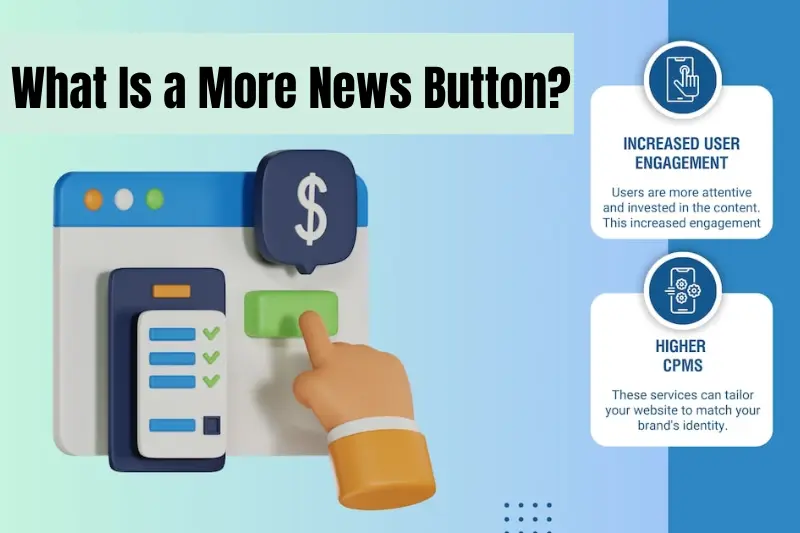
A more news button is a clickable interface element that allows users to load additional news articles without leaving the current page. Instead of displaying all available content at once, websites initially show a limited number of articles and then provide a button that users can click to reveal more content.
The button typically contains text such as:
- More News
- Load More
- Show More Articles
- Read More News
- View More Stories
When clicked, the website dynamically loads additional articles from its database and displays them on the same page.
This approach helps websites maintain a clean layout while giving readers access to a larger amount of content when desired.
The Evolution of Content Navigation
Before the more news button became popular, most websites relied heavily on pagination.
Pagination divides content into separate pages, such as:
- Page 1
- Page 2
- Page 3
- Next Page
While pagination is still used today, many users find it inconvenient because it requires loading an entirely new page each time they want to continue browsing.
As internet speeds improved and web technologies advanced, developers began introducing alternatives such as:
- Infinite scrolling
- Dynamic content loading
- More news buttons
These methods made content discovery smoother and reduced interruptions during browsing.
Among these options, the more news button emerged as a balanced solution because it offers control to users without overwhelming them with endless content.
How a More News Button Works
The functionality behind a more news button is relatively straightforward.
When a user first visits a news page, the website displays a predetermined number of articles. These might be the latest stories, trending topics, or editor-selected content.
After reaching the end of the visible articles, users see a more news button.
When the button is clicked:
- A request is sent to the server.
- Additional articles are retrieved.
- New content appears below the existing articles.
- The user continues browsing without leaving the page.
Modern websites often use technologies such as JavaScript, AJAX, and APIs to make this process fast and seamless.
As a result, readers experience less waiting time and a smoother browsing journey.
Why the More News Button Is Important
The popularity of the more news button is not accidental. It offers several important benefits for both users and publishers.
Better User Experience
Users generally prefer websites that are easy to navigate.
A more news button allows readers to decide when they want to see additional content. This creates a sense of control that many people appreciate.
Unlike infinite scrolling, which continuously loads articles without stopping, a more news button respects user preferences by requiring intentional interaction.
This often leads to a more satisfying browsing experience.
Reduced Page Clutter
Displaying hundreds of articles on a single page can overwhelm visitors.
Too much content can make a website look crowded and difficult to navigate.
The more news button solves this issue by showing only a manageable number of stories initially while keeping additional content available on demand.
This helps maintain a clean and organized layout.
Faster Initial Loading Times
Website speed plays a crucial role in user satisfaction.
If a page loads slowly, visitors may leave before engaging with the content.
By displaying fewer articles at first, websites can reduce the amount of data loaded during the initial visit.
This results in:
- Faster page loading
- Better performance
- Improved user retention
- Enhanced mobile experience
The more news button allows additional content to load only when needed.
Increased Content Discovery
Many readers visit a news website for one specific story but may become interested in other topics during their visit.
A more news button encourages exploration by presenting additional articles at strategic points in the browsing journey.
This can increase:
- Article views
- Time spent on site
- Reader engagement
- Content exposure
For publishers, this means more opportunities to connect users with valuable content.
More News Button vs. Infinite Scroll
The debate between infinite scrolling and the more news button continues among web designers and publishers.
Both approaches have advantages and disadvantages.
Infinite Scroll
Advantages:
- Seamless browsing
- Continuous content flow
- Popular on social media platforms
Disadvantages:
- Can feel endless
- Makes it difficult to find previous content
- May reduce user control
- Can negatively impact performance
More News Button
Advantages:
- Gives users control
- Cleaner experience
- Easier navigation
- Better content organization
Disadvantages:
- Requires extra clicks
- Some users may prefer automatic loading
For many news websites, the more news button offers a balanced solution that combines convenience with usability.
Impact on Mobile Users
Mobile traffic now represents a significant portion of internet usage worldwide.
Because smartphone screens are smaller than desktop displays, content organization becomes even more important.
The more news button is particularly beneficial for mobile users because it:
- Reduces scrolling fatigue
- Improves page performance
- Saves device resources
- Creates a cleaner visual experience
Instead of forcing users to scroll endlessly through content, the button allows them to load additional stories only when they are interested.
This improves overall usability on mobile devices.
SEO Considerations
Search engine optimization is a major concern for digital publishers.
When implemented correctly, a more news button can support SEO efforts.
However, there are important factors to consider.
Crawlability
Search engines must be able to discover and index content that appears after users click the button.
Developers should ensure that additional articles are accessible through crawlable URLs or structured navigation methods.
Page Performance
Fast-loading websites often perform better in search rankings.
Since a more news button reduces initial page load size, it can contribute to better performance metrics.
User Engagement Signals
Search engines increasingly consider user experience indicators.
When readers spend more time exploring content through a more news button, engagement metrics may improve.
Potential benefits include:
- Longer session durations
- Lower bounce rates
- Increased page interactions
These factors can contribute positively to a website’s overall performance.
Best Practices for Implementing a More News Button
Not all more news buttons are equally effective.
To maximize results, publishers should follow several best practices.
Use Clear Text
The button should communicate its purpose immediately.
Examples include:
- More News
- Load More Articles
- View More Stories
Avoid vague labels that may confuse users.
Make It Visible
A hidden button serves little purpose.
Ensure that the button:
- Stands out visually
- Is easy to locate
- Works well on all devices
Good placement improves interaction rates.
Provide Feedback
Users should know when content is loading.
Consider displaying:
- Loading animations
- Progress indicators
- Temporary messages
These visual cues reassure visitors that the action is working.
Optimize Loading Speed
Slow content loading can frustrate users.
Additional articles should appear quickly after the button is clicked.
Performance optimization is essential for maintaining a positive experience.
Ensure Accessibility
Accessibility should be a priority.
The button should:
- Support keyboard navigation
- Include descriptive labels
- Be compatible with screen readers
Accessible design helps all users interact with the website effectively.
Psychological Benefits of the More News Button
User behavior research reveals several psychological reasons why the more news button works well.
Sense of Control
People generally enjoy making choices.
The button allows users to decide whether they want additional content rather than forcing it upon them.
This creates a more positive browsing experience.
Reduced Cognitive Load
Too much information presented at once can overwhelm visitors.
The more news button divides content into manageable portions.
As a result, users can process information more comfortably.
Curiosity and Engagement
The button creates anticipation.
Readers often wonder what additional stories await them beyond the current selection.
This curiosity can encourage further exploration.
Common Mistakes to Avoid
Although the more news button is effective, poor implementation can reduce its value.
Loading Too Few Articles
If only one or two stories appear after each click, users may become frustrated.
Providing a meaningful amount of new content improves satisfaction.
Slow Response Times
Users expect instant results.
Long delays can discourage interaction and increase abandonment.
Poor Placement
A button that is difficult to find may receive fewer clicks.
Positioning it logically within the content flow is essential.
Inconsistent Design
The button should match the website’s overall design language.
Inconsistent styling can create confusion and reduce trust.
Examples of Effective Use Cases
The more news button can be applied across various types of websites.
News Portals
Large news organizations often publish hundreds of stories daily.
A more news button helps organize this content while maintaining usability.
Blogs
Content-heavy blogs can use the feature to encourage readers to explore older posts.
Online Magazines
Digital magazines often categorize stories by topics.
A more news button allows readers to discover additional content within specific categories.
Industry Publications
Professional and niche publications can showcase relevant articles without overwhelming visitors.
Future Trends
As technology continues to evolve, the more news button is likely to become even smarter.
Future developments may include:
- AI-powered content recommendations
- Personalized article loading
- Predictive user behavior analysis
- Enhanced mobile optimization
Instead of simply displaying random articles, future systems may present highly relevant stories tailored to individual interests.
This could significantly improve engagement and reader satisfaction.
Conclusion
The more news button may appear to be a small website feature, but its impact is substantial. It helps users discover additional content, improves website performance, enhances navigation, and creates a more enjoyable browsing experience.
For publishers, the benefits include increased engagement, better content visibility, improved mobile usability, and stronger overall site performance. When implemented thoughtfully, a more news button serves as a powerful tool that balances simplicity with functionality.
As digital publishing continues to evolve, user-centered design will remain a key priority. The more news button represents one of the most practical and effective ways to support content discovery while maintaining a clean and organized interface.
Whether you operate a global news platform, a niche publication, or a personal blog, incorporating a well-designed more news button can contribute significantly to a better experience for readers and stronger results for your website.
